Boost Bookings with Weekly & Monthly Discounts on Airbnb
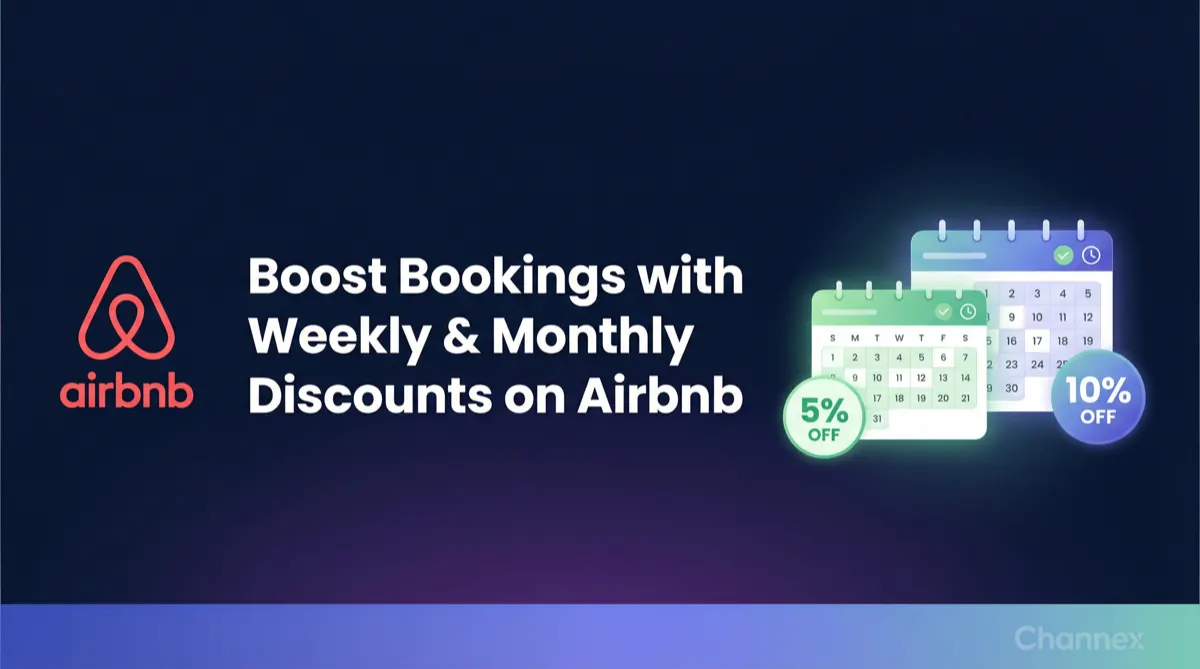
Attract longer stays and increase revenue by setting up weekly and monthly length-of-stay discounts on Airbnb directly from Channex. Learn how in a few simple steps.

Attracting longer stays is a powerful strategy for increasing occupancy, stabilizing revenue, and reducing the operational costs associated with frequent guest turnover. One of the most effective ways to encourage these bookings on Airbnb is by offering weekly and monthly length-of-stay (LOS) discounts. With Channex, setting up these promotions is simple and can significantly enhance your listing's appeal.
The Strategic Advantage of Long-Stay Discounts
Offering discounts for longer bookings makes your property more attractive to specific traveler segments — from families on week-long holidays to digital nomads and corporate clients seeking monthly accommodations. This strategy not only helps fill your calendar but also minimizes gaps in occupancy and reduces the effort spent on cleanings and check-ins.
Weekly Discounts (7+ nights) are perfect for capturing the standard holiday-goer, ensuring your property is competitively priced for week-long stays. Monthly Discounts (28–30+ nights) are ideal for attracting high-value guests looking for temporary housing, providing you with a consistent and predictable income stream.
How to Set Up Weekly & Monthly Discounts in Channex
You can configure these discounts directly from your Airbnb channel settings within Channex. Follow these simple steps to get started.
Step 1: Navigate to Pricing Settings
Open your Airbnb channel in Channex. Go to the Listing tab, find the desired property, click the Actions menu, and select Pricing Settings.
Step 2: Add Length of Stay Discount Rules
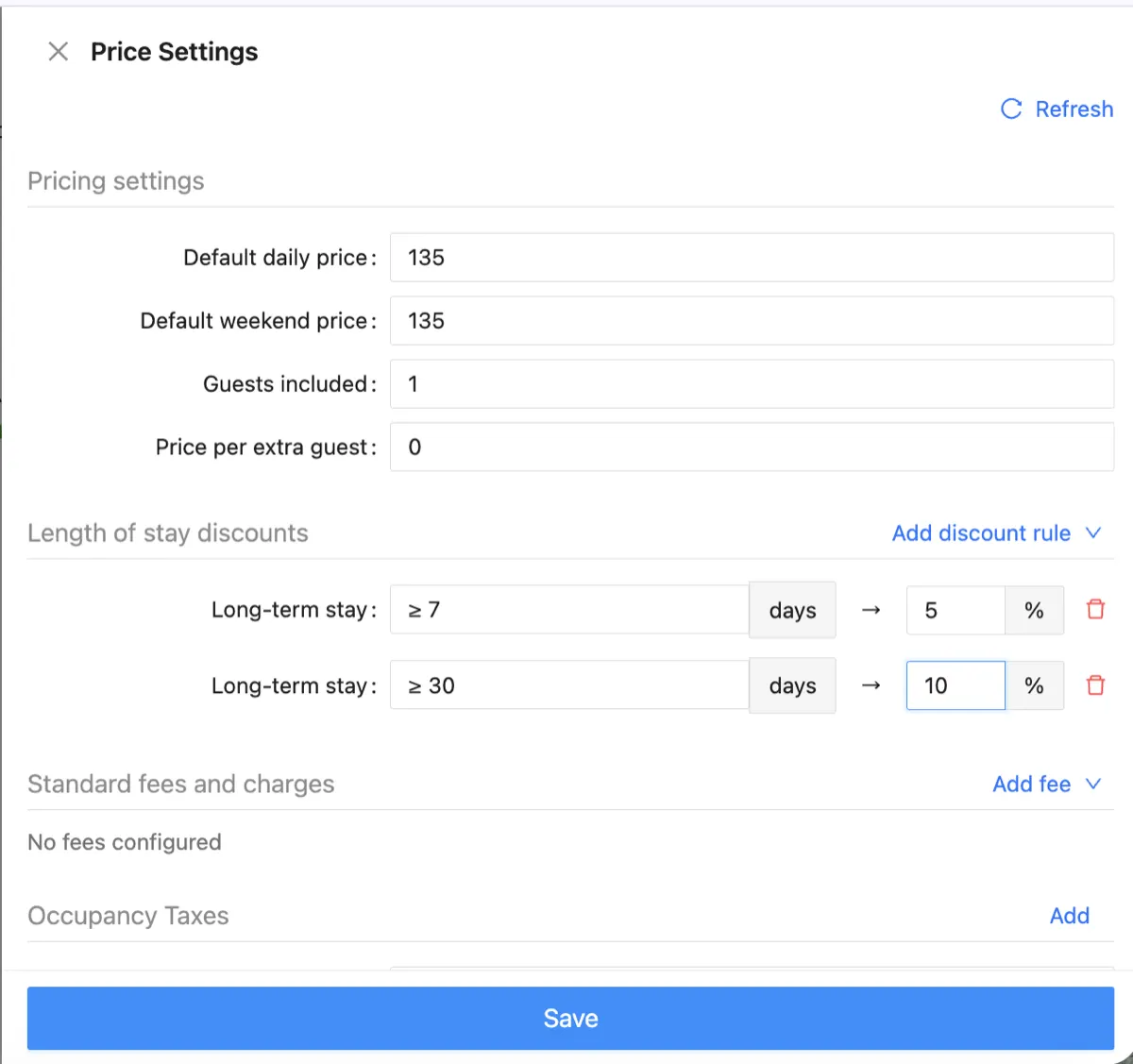
In the Pricing Settings modal, scroll down to the Length of stay discounts section. Click Add discount rule and select Long-term stay. A new rule line will appear where you can configure the minimum nights and discount percentage.
Step 3: Configure Your Discounts
Set up your two discount tiers as shown below. For a weekly discount, set the condition to ≥ 7 days and enter your desired percentage (e.g., 5%). For a monthly discount, add a second rule with ≥ 30 days and a higher percentage (e.g., 10%) to reward longer commitments.
Step 4: Save Your Changes
Once you are satisfied with the discount rules, click the Save button at the bottom of the modal. Channex will automatically sync these new pricing rules to your Airbnb listing.
Start Attracting Longer Stays Today
By implementing weekly and monthly discounts, you make your listings more competitive, attract longer and more stable bookings, and ultimately maximize your revenue potential on Airbnb. It is a simple change that can deliver significant results — and with Channex, it takes less than a minute to set up.