Airbnb High-Rated Guest Discount: Reward Your Best Guests Automatically
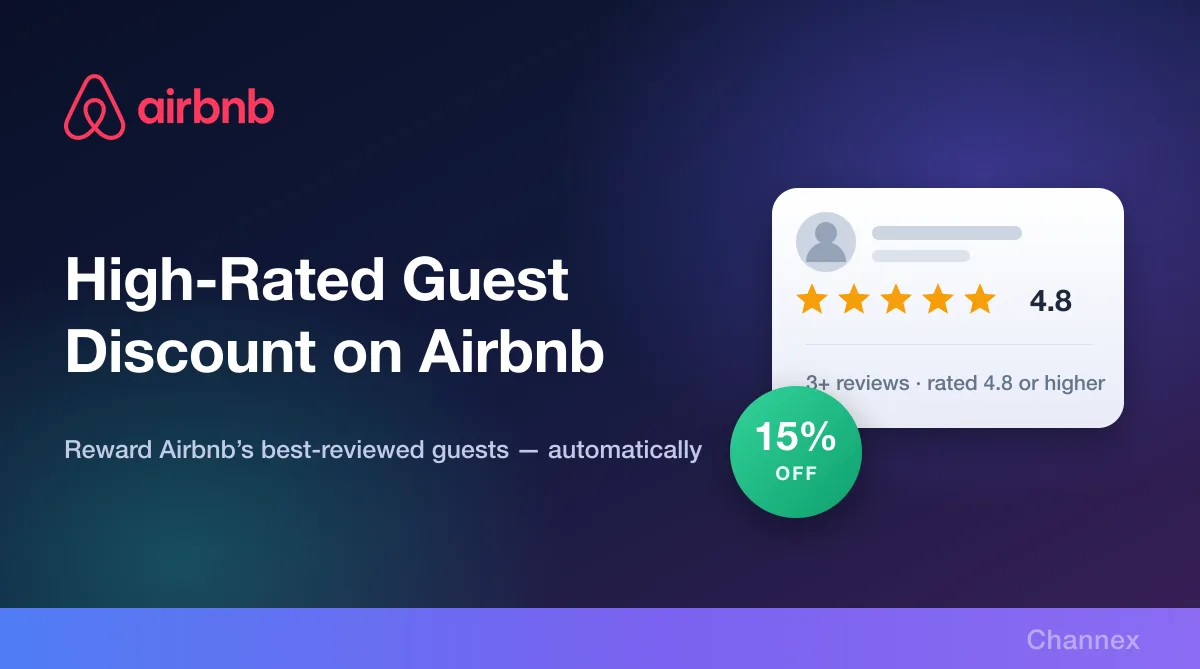
Airbnb's Top-rated guests discount gives 15% off to guests with at least 3 reviews and a 4.8+ average rating — and Airbnb's own estimates put it at ~11% more gross booking value. Turn it on for any listing straight from Channex.

Every host knows the difference between a great guest and a difficult one. Great guests read the house rules, communicate clearly, leave the place tidy and write the reviews that keep your listing climbing Airbnb's search results. Difficult guests cost you time, cleaning and occasionally a claim.
Airbnb's Top-rated guests discount — shown in Channex as the High-Rated Guest Discount — lets you tilt the odds in your favour: a discount only the best-reviewed travellers on the platform can see. You can switch it on for any connected listing directly inside Channex, without touching the extranet.
What is the High-Rated Guest Discount?
It is one of Airbnb's automatic promotions. When enabled on a listing, it gives a discount to Airbnb's top-rated guests — those with at least 3 host reviews and an average rating of 4.8 or higher. The discount is applied automatically to eligible bookings; there is no code for the guest to enter and nothing for you to approve.
The rate is set by Airbnb at 15%, and Channex shows it on the promotion so you know exactly what you are agreeing to before you flip the toggle.
What Airbnb's own numbers say
Airbnb ran a limited-time pilot and a follow-up experiment on this discount and published the results to hosts. At a 15% discount, Airbnb estimates that global active listings offering the Top-rated guests promotion generate:
| Metric | Airbnb's estimate |
|---|---|
| Gross booking value | ~11% higher |
| Nights booked | ~14% more |
| Chance of a top-rated guest booking | ~43% higher |
Airbnb also reports that hosts in the pilot saw improvements in both earnings and the likelihood of securing a booking from a top-rated guest, and that these guests are more likely to leave a 5-star rating.
The small print, in full: the 5-star finding comes from an Airbnb pilot covering check-ins between 12 February and 12 March 2026 in the US, CA, FR, GB, AU, BR, IT, KR, ES, MX and DE. The three percentages above were observed between 17 June and 7 July 2026 via an Airbnb experiment covering check-in dates from 17 June 2026 onwards in all countries Airbnb operates in. They are modelled from observed pilot performance and may vary by listing and market. Airbnb also reserves the right to discontinue the discount at any time.
Read that as directional rather than a promise: an 11% lift in gross booking value at a 15% discount is Airbnb's modelled average, not a guarantee for your property. But the direction is worth taking seriously — a discount that is only visible to a specific, high-quality segment behaves very differently from an across-the-board price cut.
How it appears to guests
The discount is not silent. According to Airbnb, an eligible guest sees:
- A search boost. Discounted pricing can improve where your listing appears in their search results.
- A badge on your listing page reading "This host is offering a discount".
- Strikethrough pricing that makes the saving obvious at a glance.
That combination matters. You are not just cutting the rate — you are buying a visual differentiator in a results page where every other listing looks broadly the same.
The mechanics worth knowing
- Eligible guests get the discount off the nightly rate only. Coupons and local taxes are not included.
- Airbnb's guidance for this discount is that it will be combined with other discounts.
- If you remove the discount later, the change does not affect pending or confirmed reservations — only new bookings.
How to enable it in Channex
Airbnb's own guidance to hosts is that if you use property management software, you should check with your provider before setting this up in the extranet. If you are on Channex, you do not need to ask — it is already there.
Step 1: Open the Listing tab
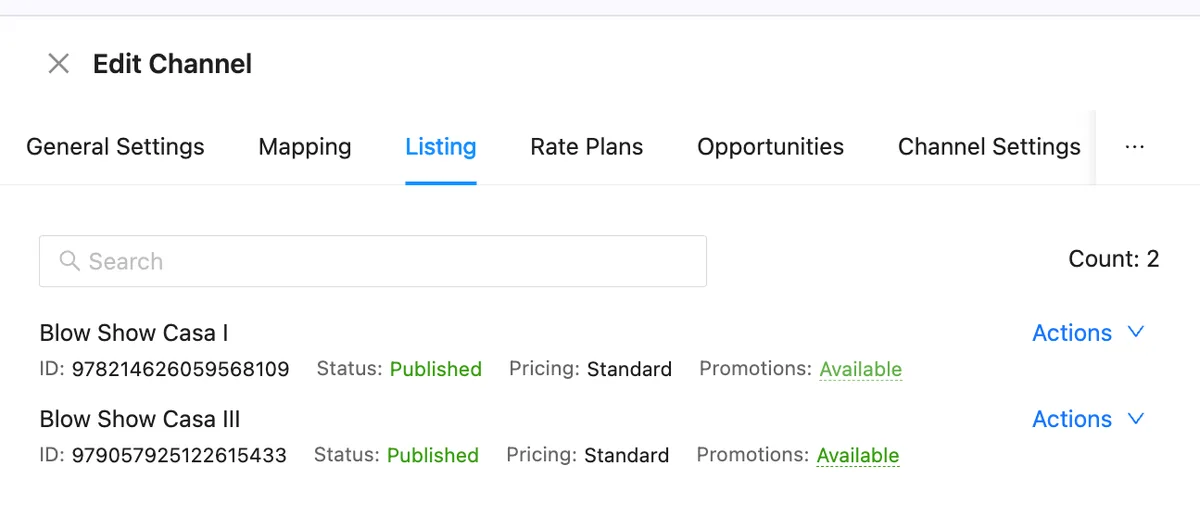
Open your Airbnb channel in Channex and go to the Listing tab. Each connected listing shows its ID, publication status, pricing mode and a Promotions column. Where promotions are available for a listing, you will see Available as a link.
Step 2: Open Promotions and toggle it on
Click Available to open the Promotions panel for that listing. You will see every promotion Airbnb currently offers for it, each with its own description and discount rate. Switch on High-Rated Guest Discount and Channex pushes the change to Airbnb for you.
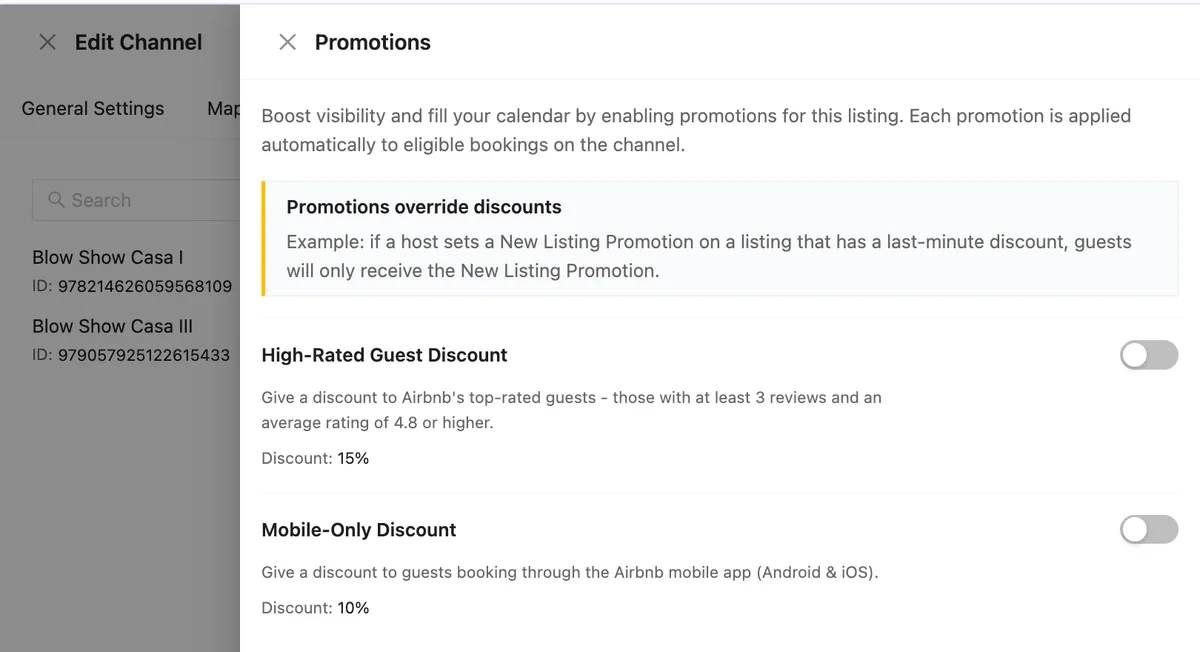
Doing it in Channex rather than the extranet matters most when you have more than one property: you can see which listings are running which promotions from a single screen, and change them as your season changes.
Important: promotions override discounts
One rule in the Promotions panel is worth reading twice. Promotions override discounts. Channex states it plainly: if a host sets a New Listing Promotion on a listing that has a last-minute discount, guests will only receive the New Listing Promotion.
So promotions do not layer on top of your other Airbnb discounts — a promotion wins, and the discount it replaces simply does not apply. Note the distinction from the point above: Airbnb describes the Top-rated guests discount as combining with other discounts, while a promotion such as the New Listing Promotion supersedes them. If a listing has several things running at once, check the final price a guest actually sees before assuming the savings compound.
When to use it
| Situation | Recommendation |
|---|---|
| High-value or design-led property | Strong fit. The cost of a bad stay is high, so screening for well-reviewed guests is worth more than the 15%. |
| New listing with no reviews | Good fit. Airbnb reports top-rated guests are more likely to leave a 5-star rating, which gets you to the crucial three-review milestone faster. |
| Low season or soft dates | Good fit. You are already discounting to fill; this way the discount buys you a better guest as well as a booking. |
| Peak dates that already sell out | Leave it off. You do not need to buy demand you already have. |
And because removing the discount never touches pending or confirmed reservations, testing it is genuinely low-risk: turn it on for a slow month, watch what lands, turn it off again.
Get started
Log in to Channex, open your Airbnb channel and check which of your listings say Available in the Promotions column. Pair this with the Mobile-Only Discount and your length-of-stay rules for a promotion strategy that works while you sleep.