Airbnb Mobile-Only Discount: Capture App Bookings with 10% Off
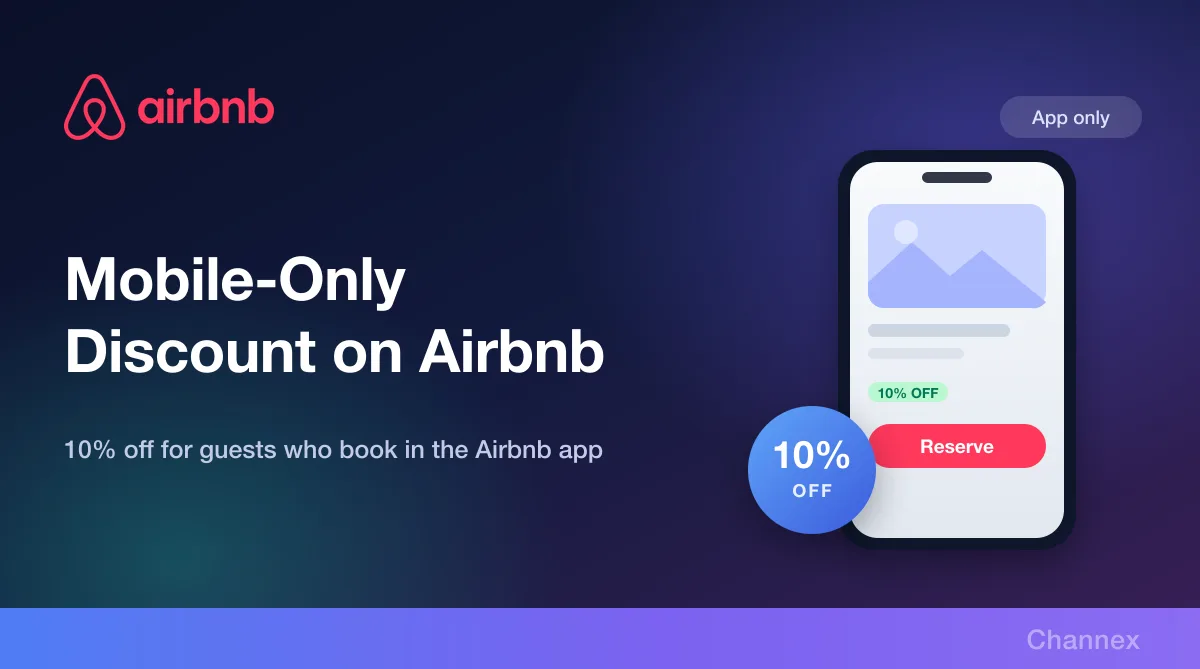
The Mobile-Only Discount gives 10% off to guests booking through the Airbnb app on Android and iOS. Enable it per listing from the Channex Promotions panel in a couple of clicks.

A large share of travel research and booking now happens on a phone, in an app, often in the gaps of someone's day. Airbnb's Mobile-Only Discount is built for exactly that moment: a targeted discount that only appears to guests booking through the Airbnb mobile app.
Like every Airbnb promotion, it is applied automatically to eligible bookings — and like every Airbnb promotion, you can now enable it per listing from inside Channex.
What is the Mobile-Only Discount?
It gives a discount to guests booking through the Airbnb mobile app (Android & iOS). Guests browsing on desktop or the mobile web do not see it. The rate is set by Airbnb at 10%, shown on the promotion in Channex before you enable it.
Because the discount is channel-specific rather than date-specific, it does not touch your calendar, your rates or your restrictions. It is a targeting tool, not a pricing change — the same room, at a slightly better price, shown only to the audience Airbnb wants to convert in-app.
Why enable it
- It reaches an audience your other levers don't. Length-of-stay discounts target trip shape; last-minute discounts target timing. This one targets the device — a segment none of your other rules can address.
- Impulse and spontaneity. App bookings skew towards travellers deciding in the moment. A visible saving at that moment is disproportionately persuasive.
- Competitive placement. An active promotion makes your listing more attractive in exactly the surface where it is shown.
- Zero admin. No codes, no manual approvals, no calendar edits. It is applied automatically to eligible bookings.
How to enable it in Channex
Step 1: Open the Listing tab
In Channex, open your Airbnb channel and select the Listing tab. Every connected listing is shown with its ID, status, pricing mode and a Promotions column. Listings that can run promotions show Available.
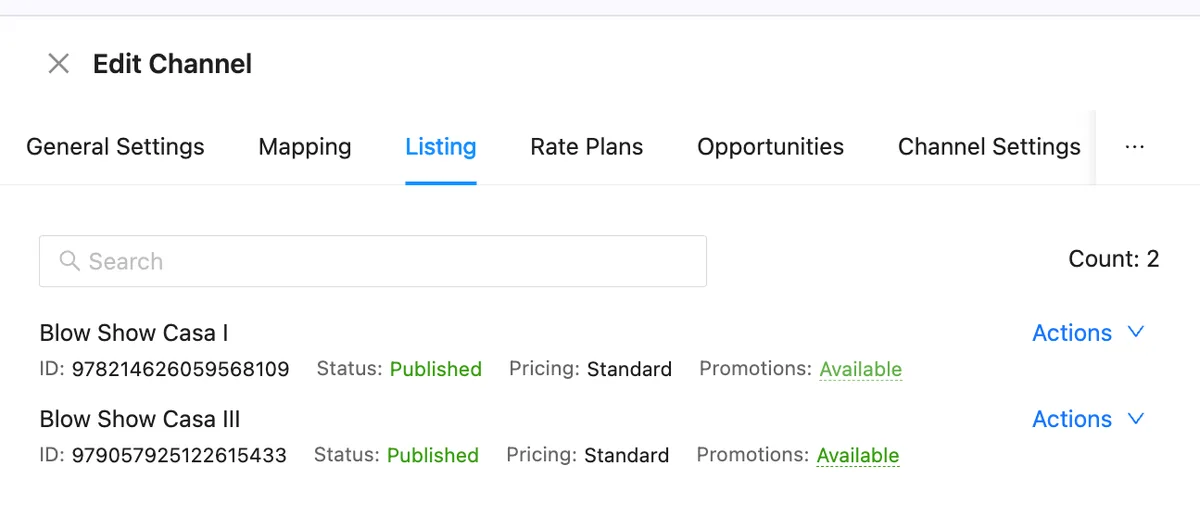
Step 2: Toggle on the Mobile-Only Discount
Click Available to open the Promotions panel. Find Mobile-Only Discount, check the stated discount, and switch the toggle on. Channex sends the change to Airbnb — there is nothing to save in the extranet afterwards.
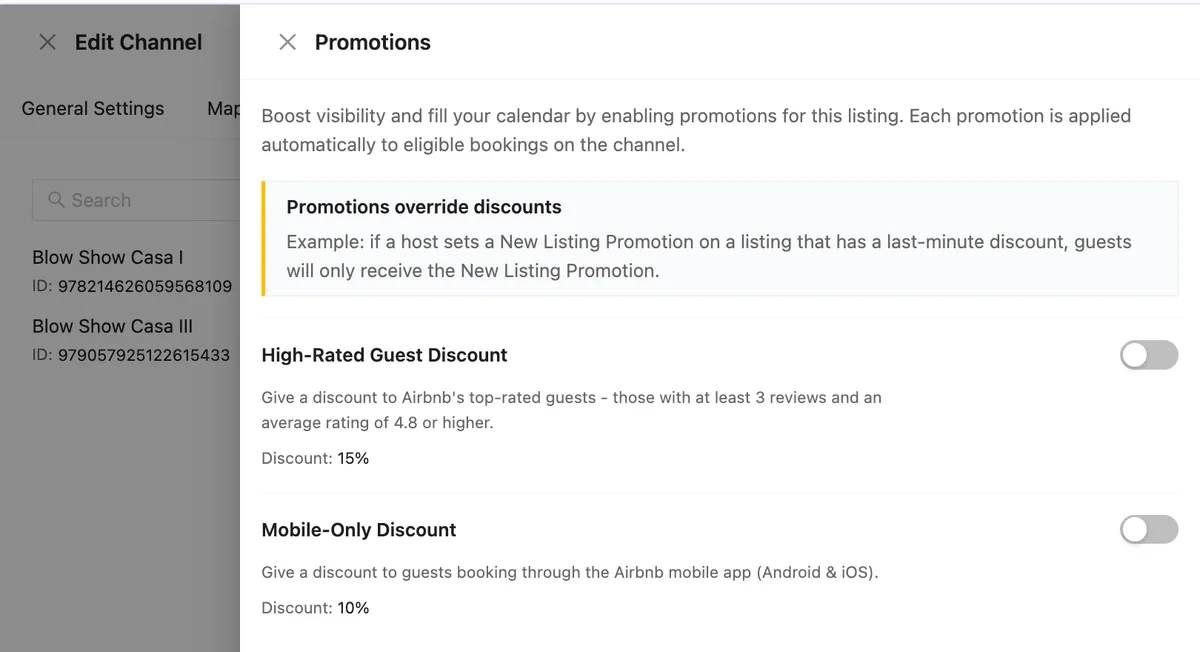
Remember: promotions override discounts
Before you enable anything, understand how promotions interact with the rest of your pricing. Promotions override discounts. The Promotions panel spells it out: if a host sets a New Listing Promotion on a listing that has a last-minute discount, guests will only receive the New Listing Promotion.
So a guest booking in the app on a listing that also runs a last-minute discount will not receive both. Decide which lever matters most for each listing rather than assuming the savings compound — and revisit that decision when your season, or your occupancy, changes.
Getting the most out of it
| Tactic | Why it works |
|---|---|
| Use it on soft dates | Enable it when you need volume, and turn it off once the dates fill. It takes one toggle either way. |
| Check your photos first | You are buying app traffic. A listing that looks good on a small screen — strong lead image, short title — converts that traffic; one that doesn't wastes the discount. |
| Respond fast | App bookers move quickly. Instant Book or a quick response time converts far more of the demand you just paid to attract. |
| Review it per listing | Promotions are set listing by listing. A property that sells out on its own does not need one; a slower sibling might. |
One panel, every promotion
Managing promotions inside Channex means you can see, at a glance, which of your listings are running what — and change it without logging into another system. Open your Airbnb channel, click through to the Listing tab and see which listings say Available.
Also worth enabling: the High-Rated Guest Discount, which gives 15% off to guests with at least 3 reviews and a 4.8+ average rating — Airbnb estimates it delivers around 11% more gross booking value and 14% more nights booked.