How to Manage Airbnb Checkout Instructions with Channex
Clear checkout instructions improve guest experience and save hosts time. Learn how to set up and manage Airbnb checkout tasks directly through Channex.
Clear checkout instructions can make a big difference for both guests and hosts. Guests leave with confidence, and hosts save time (and headaches) by avoiding misunderstandings about keys, trash, or other details.
Airbnb encourages hosts to provide clear checkout tasks, but managing and updating these instructions can be a hassle—especially across multiple listings. That's why we built Checkout Tasks right into Channex.
With just a few clicks, you can define exactly what guests need to do before leaving, and Channex syncs those instructions straight to Airbnb.
Why Checkout Instructions Matter
- Better guest experience – Guests don't have to guess what's expected of them.
- Less cleaning hassle – Simple tasks like taking out trash or placing towels in one spot speed up turnovers.
- Peace of mind – Knowing doors are locked and appliances are off helps prevent damage or safety issues.
Instead of sending last-minute messages, you can set everything up once in Channex and let it run automatically.
How Checkout Tasks Work in Channex
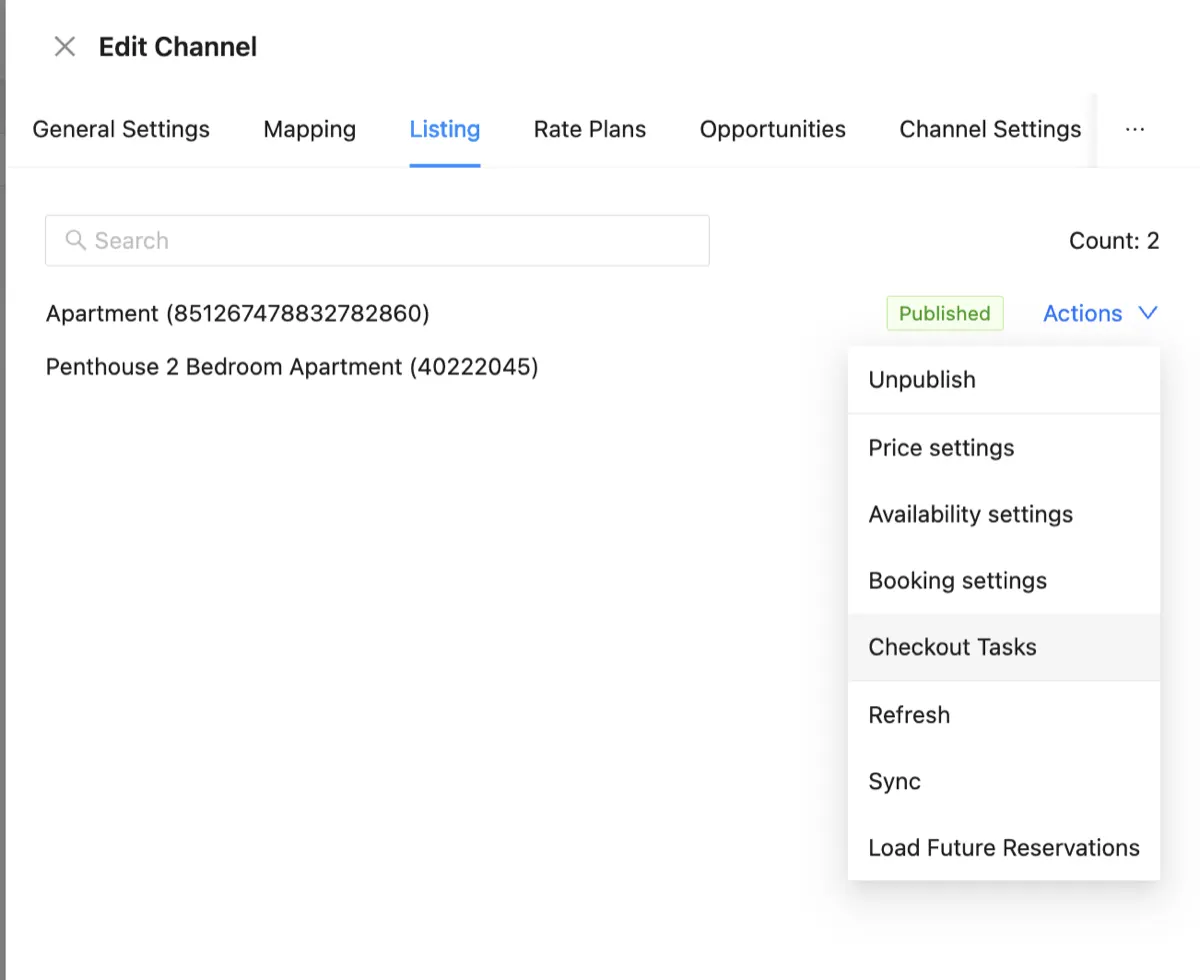
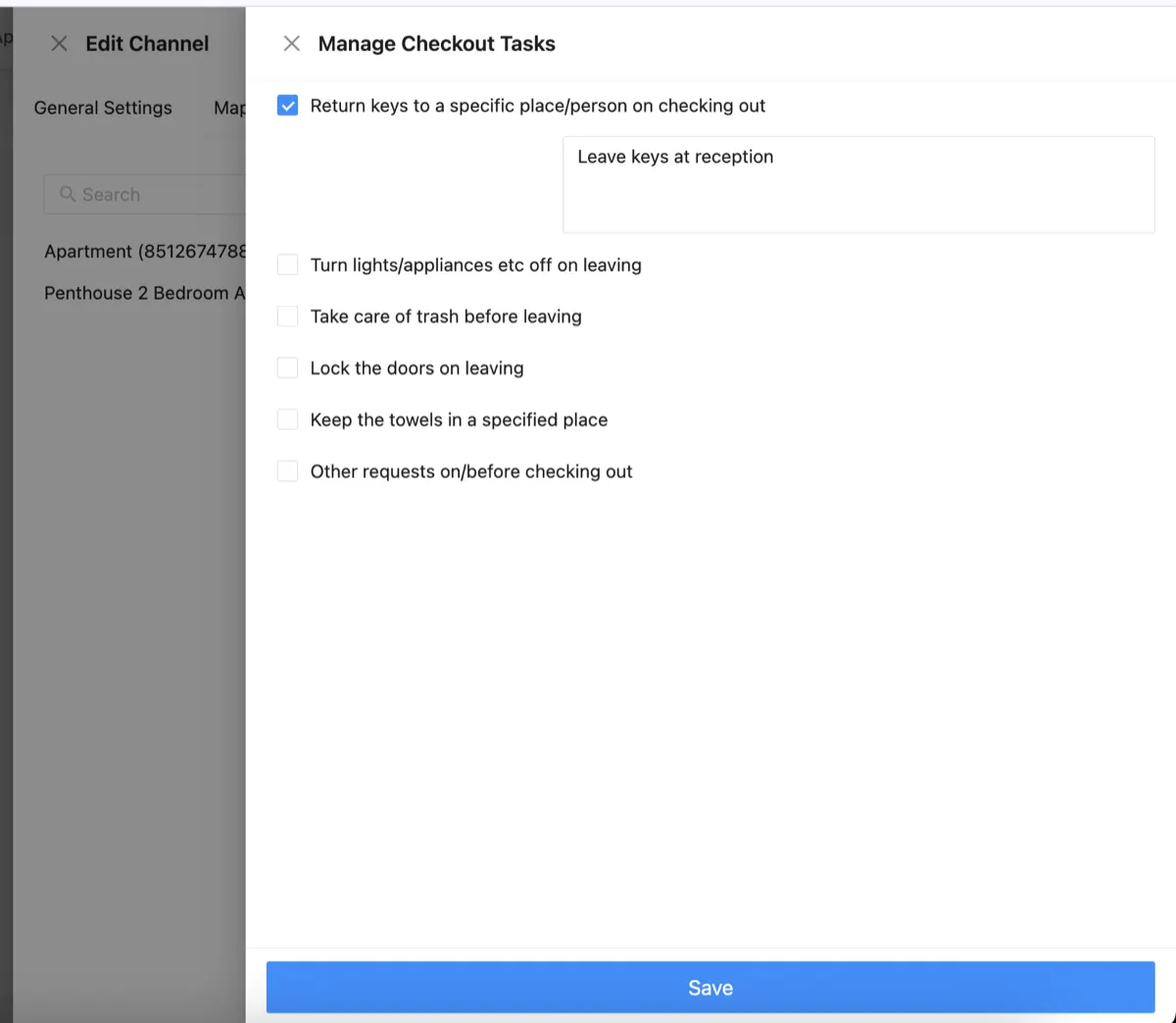
Channex makes it simple. Go to your Channel Settings → Listing → Actions → Checkout Tasks. From there, you'll see a list of common instructions you can turn on or off.
You can:
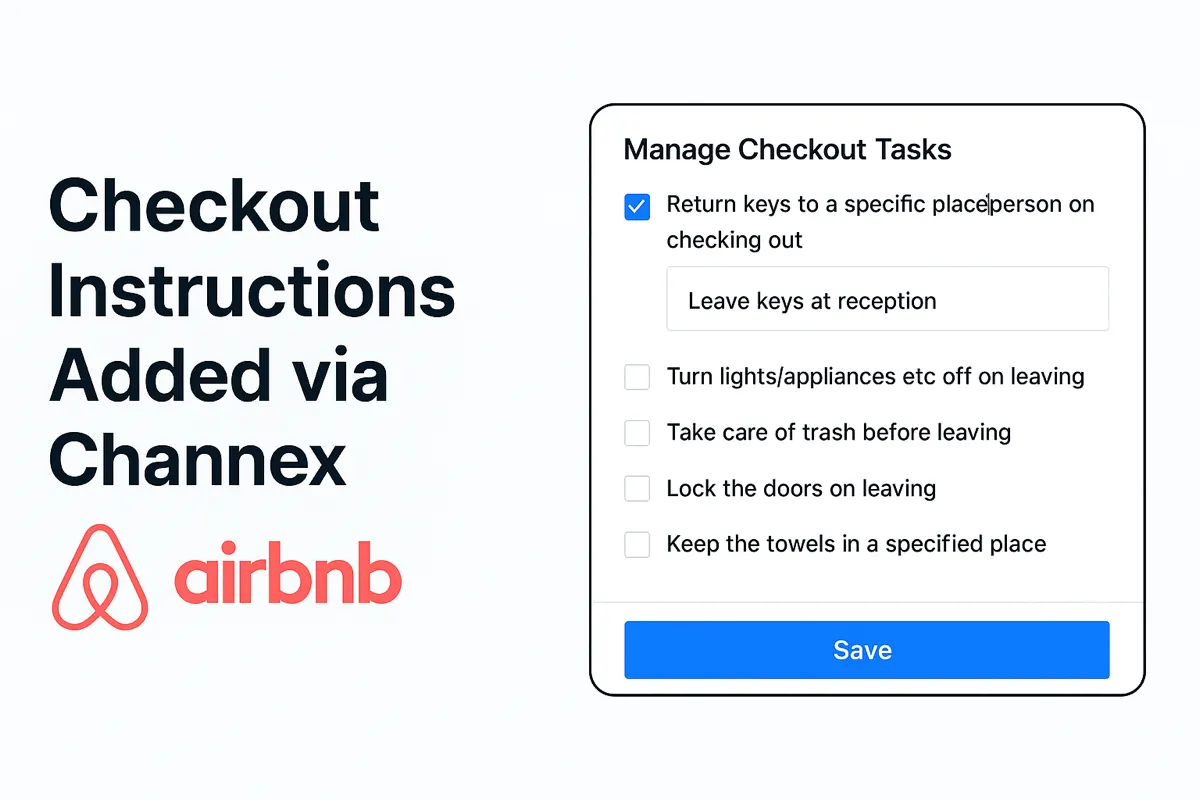
- Ask guests to return keys (and specify where, e.g. "Leave keys at reception")
- Remind them to switch off lights and appliances
- Request they take out trash
- Ensure they lock the doors
- Direct them to place towels in a specific spot
- Add any custom request you want
Once saved, these instructions are automatically synced to Airbnb and shown to your guests at checkout.
Example: A Simple Checkout Flow
Here's what a typical setup looks like:
- Guests leave the keys at reception.
- They take out trash to the main bins.
- They switch off the AC and lights.
- They lock the doors on the way out.
No confusion. No follow-up messages. Just a smooth checkout.
How to Edit Checkout Tasks in Channex
Setting up checkout instructions in Channex is straightforward:
- Edit the Airbnb channel and go to Listings tab
- Find the listing you want to edit and click Actions > Checkout Tasks
- Check the boxes you are interested in and add custom text for your guest
Start Using Checkout Tasks Today
This feature is available now in Channex. Whether you manage one Airbnb or hundreds, it only takes a minute to set up, and your future self (and your cleaning team) will thank you.